


Authentication
Some features in Forms Plugin - including templates, advanced field types, and integrations - require you to be signed in with a Forms Plugin account.Signing In
- Open Forms Plugin in Framer
- If you are not signed in, you will see a Sign In prompt
- Click Sign In and follow the authentication flow
- Once signed in, your account avatar appears in the top-right corner of the plugin
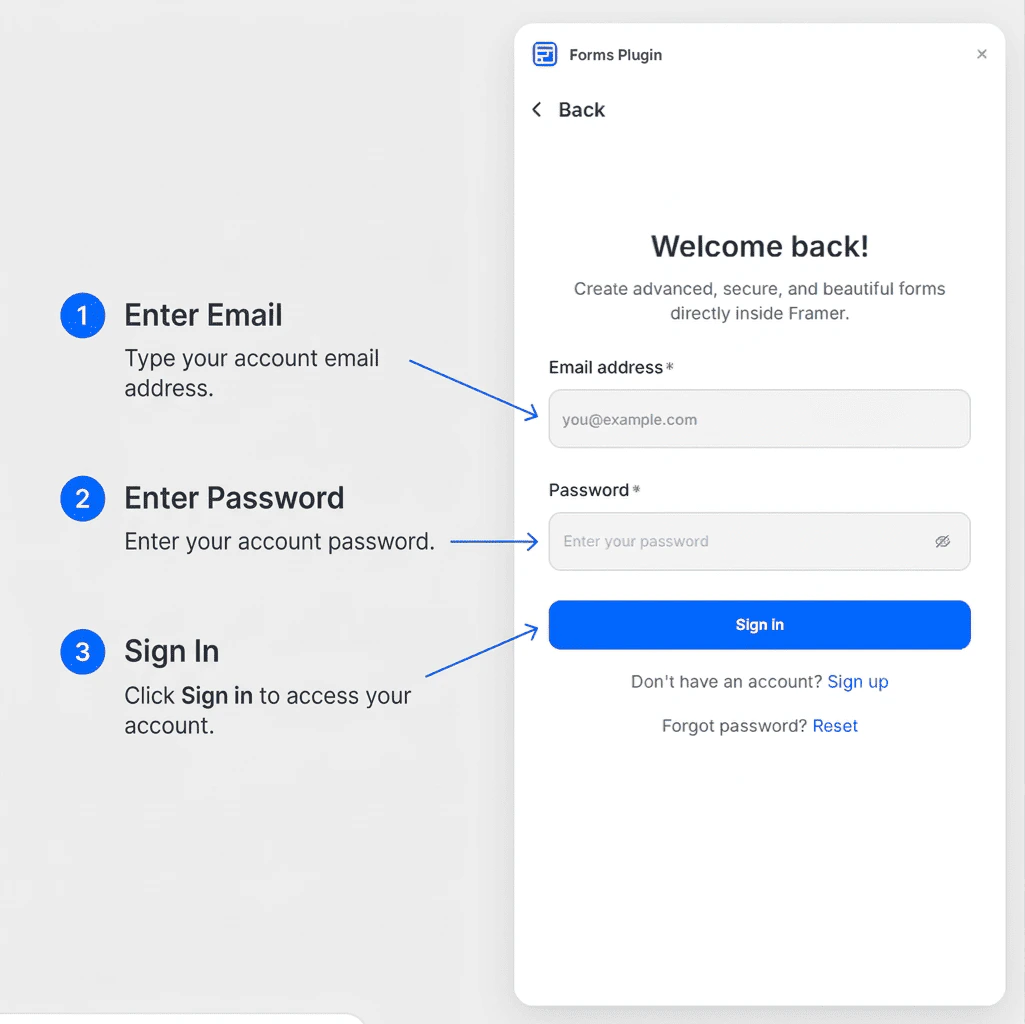
Signing in is free. A free account gives you access to Basic field types and lets you explore the template library.
Why Sign In?
Your account links your plugin session to your Forms Plugin subscription. Signing in is required to:- Access the Templates library
- Use Advanced and CAPTCHA field types (on eligible plans)
- Enable Integrations such as HubSpot and Brevo
- Activate a paid license key
Managing Your Account
Once signed in:- Your profile avatar appears in the top-right corner of the plugin panel
- Click the avatar to access account options
- From there you can view your current plan and manage your session
Signing Out
To sign out:- Click your avatar in the top-right corner of the plugin
- Select Sign Out from the dropdown menu